Tools of the Trade: Musicians and Spreadsheets?

You would think a humble calendar on a phone is all a musician needs to fulfill their work of providing emotional moments, entertainment and a sense of community. But the more successful musicians I know use an unlikely suite of apps that would make an accountant proud.
Keeping track of gigs is the bare minimum nowadays, if you've spent any time on social media, you've probably seen content about what musicians need to do just to make a decent living, from content creators to event managers all the way to accountants and legal experts; the job is as complex as ever. So we've had to familiarize ourselves with tools that are not often associated with music. And I'm starting this series with the least musical type of app in existence: Spreadsheet apps.
Keeping your Setlist in a Spreadsheet App
Wait, what? What could a musician possibly gain from using the same software the government uses to keep track of tax dodgers? Well it turns out quite a lot, because musicians also have tons of information they need to keep neatly organized and ready to go at all times, and perhaps none is as important as our set-lists. Check it out below:
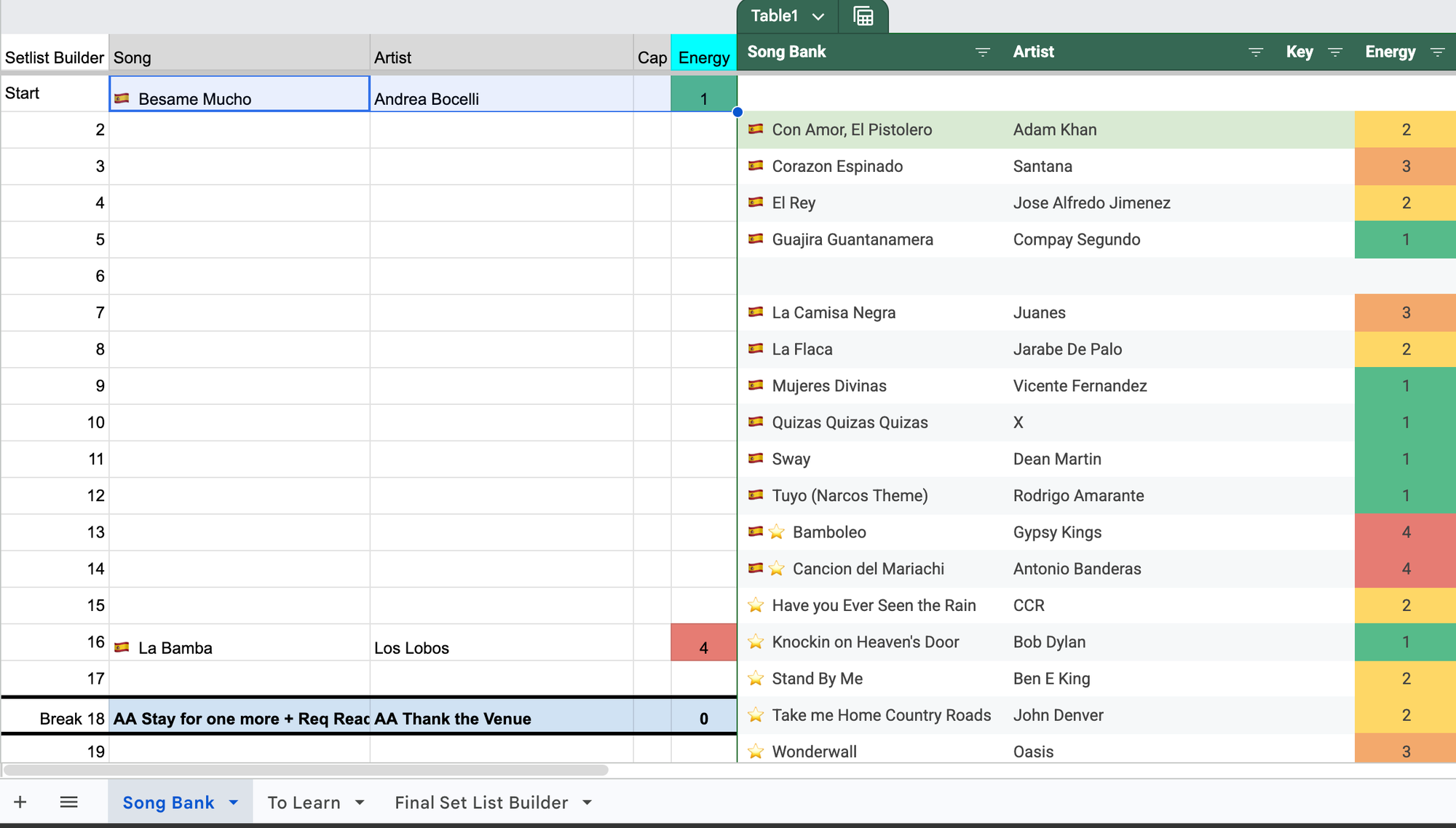
If you're looking at this and already falling asleep, let me tell you, this saves me hours remembering what songs I know, and enables me to create setlists in minutes. In extreme cases where I positively have no idea what the vibe is going to be like at a venue I've never played at, I'm even able to create two different setlists quickly and use whichever suits the room the most!
Conditional Formatting for "On the Fly" Show Dynamics
Having the conditional formatting on the energy levels means I can quickly sort, or even filter, through what energy I need for a specific part of the show. I'll write another article on how to organize a live music setlist, but as a quick example, it's common knowledge that if you want to get on a cafe crowd's good side right off the bat, you need to "introduce yourself" playing more intimate songs first, and then building up a little, but never really going balls-to-the-wall rock n roll. Having the color coding enables me to even blindly pick the songs, not that I do that, but you get the idea.
Knowing what songs I'll play is just as important as knowing which songs I won't, because now I can use those tracks as sound-checks and encores. Planning sound-checks might seem be excessive to some, but I noticed immediately when I started doing it, that crowds noticed a difference, they got a little teaser of what the show was going to be like, and it saved them hearing that annoying soundcheck noodling that I think makes musicians look a tad amateurish.
At some point I'll write an article on how to professionally do a soundcheck, so be sure to sign up to my newsletter to take the guesswork out of the most basic part of a show!
Learn, Play, Perform, Repeat
In this same document, I have an additional sheet that's all about learning new songs. I can track my progress and eventually move them to the song bank sheet to be included in upcoming shows!
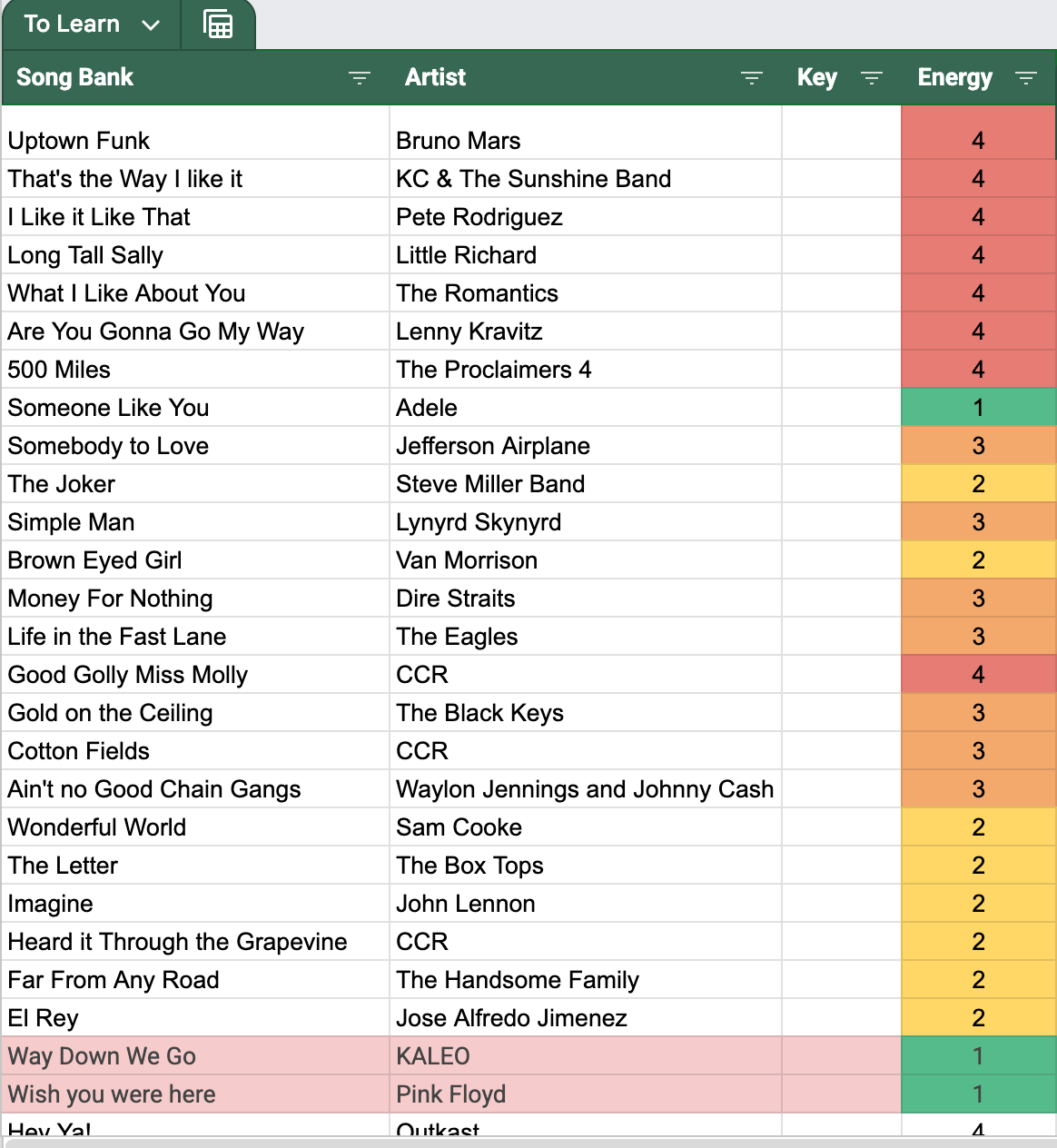
Having this system ensures that I don't forget the songs I know, but also songs that audiences have requested, or songs that I heard on the radio that I thought fit nicely with the rest of my setlist.
Tracking Venue Data, Contacts, and Red Flags
If I couldn't convince you to use Excel to manage your setlists, then I will give you the last way I use it that completely changes how I engage with venues: As a self-contained Customer Management System (CRM).
Keeping track of venues I come accross, and the information I have on them is essential to getting booked. In this sheet, I keep track of all the venues, the person who hires for them (it won't always just be the owner), their contact information, the date I contacted them last and even notes like what sound-systems they have, what vibes they like and how much I've heard they pay.
Think of it as a gig tracking software for musicians, only free and easy to use!
This helps me prioritize certain venues over others, and makes sure that I stay top of mind by highlighting my last contacted date in red when I've not contacted them for a little too long and should probably reach out again. People who hire live music typically have very short times on the computer, so maximizing my visibility is uber important.
Here's a sneak peak of what that looks like:
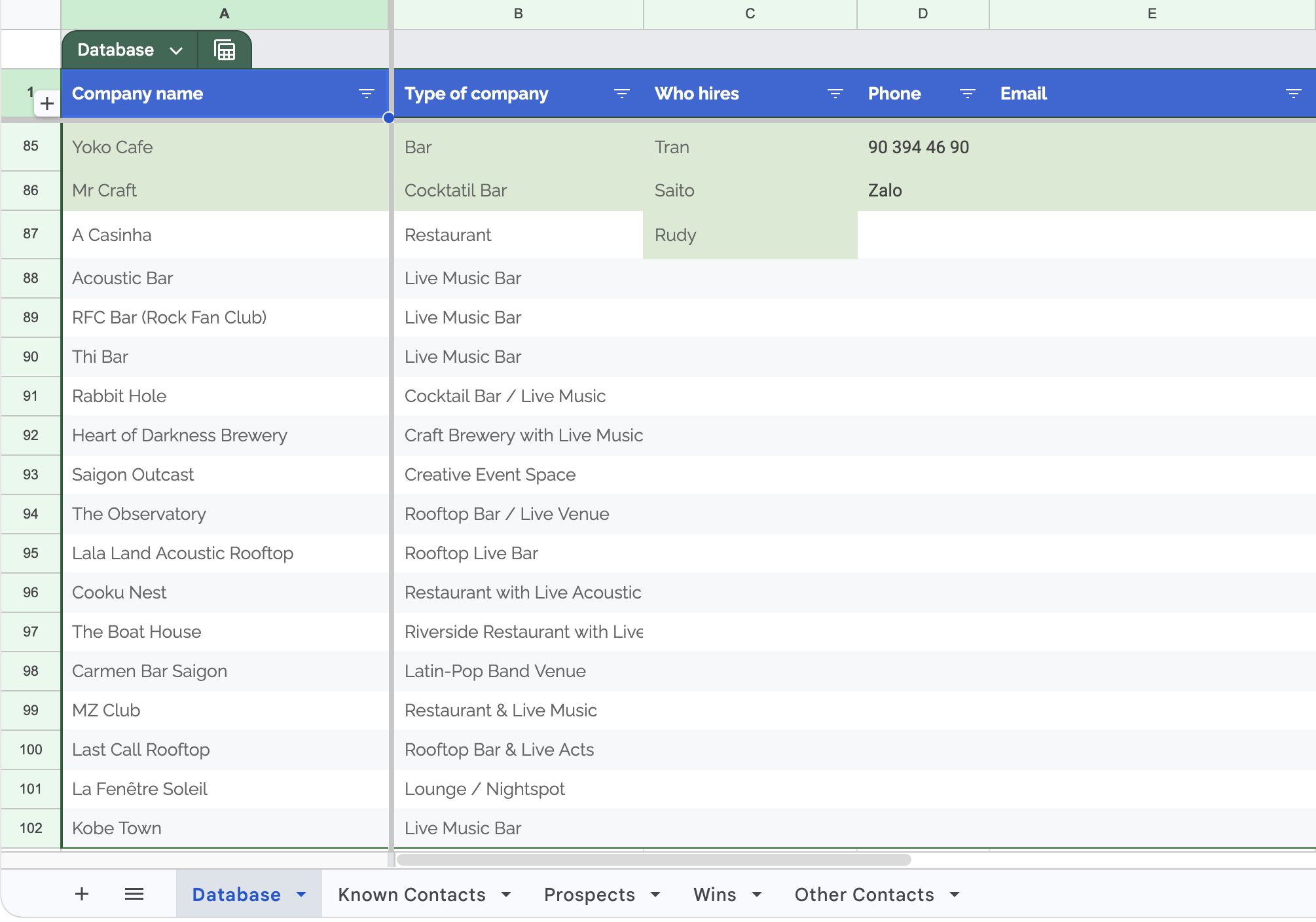
So what do you think? I've been thinking of expanding the capabilities of the template to become more of a booking CRM for independent artists at large, not just yours truly. Would that be something interesting to any musicians out there?
Wouldn't our use of Excel make an accountant or sales guy proud? I use both of these sheets pretty much daily and it makes my life substantially easier.